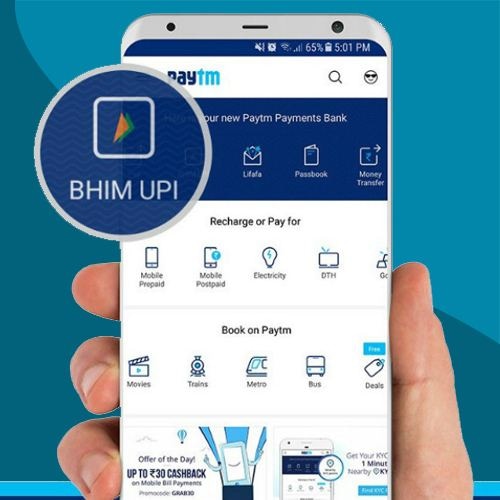
Paytm has rolled out UPI-enabled payments on its platform. Paytm users and merchants can now make instant bank-to-bank money transfers using the BHIM UPI. They will be issued a unique Paytm BHIM UPI ID, which can be linked to any of their existing Savings bank account to start sending and receiving money.
How to create your Paytm BHIM UPI ID?
• Tap on the ‘BHIM UPI’ icon on your home-screen
• Next, select your existing bank account (Paytm Payments Bank, ICICI, HDFC among others) to proceed. Your bank account will verify your mobile number, set up M-PIN, and then your Paytm BHIM UPI ID is created, which will be in the format of your mobile-number@paytm.
• However, you can also create your custom BHIM UPI ID on Paytm. Click on the BHIM UPI icon and then tap on the auto-generated Paytm BHIM UPI ID [mobile-number@paytm]; edit and set your custom ID [for eg: ravishah@paytm] and click submit to save your new ID.
How to set UPI PIN for your bank account?
• Tap on ‘BHIM UPI’ icon on homescreen.
• Next, tap on your Paytm BHIM UPI ID that is displayed. You will see list of bank accounts linked to your UPI ID.
• Tap on the bank account whose UPI PIN you want to set.
• Tap on ‘Set UPI PIN’.
• Enter last 6 digits of the debit card number and the card expiry date of the given bank account.
• Your bank will now send you an OTP.
• Enter the OTP.
• Now enter the UPI PIN you wish to set and confirm.
How to send and request money using UPI?
• Tap on ‘BHIM UPI’ on home-screen.
• Tap on ‘Send Money’ / 'Request Money' icon.
• Enter beneficiary’s / sender's UPI ID or account details and amount.
• For sending money, enter the UPI PIN of the selected bank account to confirm the payment.
• While, for requesting money you can also set an expiry date of maximum 45 days.
How to pay online merchants using the Paytm BHIM UPI ID?
• Enter your Paytm BHIM UPI ID on the merchant’s website/app.
• You will receive a notification of the payment request from the merchant on your Paytm app.
• Tap on the notification and approve the payment request to complete the payment.
• To approve a transaction, you will have to authenticate using your UPI PIN of the bank account you are paying with.
How to pay an offline merchant using the Paytm BHIM UPI ID?
• Scan UPI QR Code/Paytm QR Code at the offline merchant outlet you want to pay.
• The payment will be done automatically.
How to see UPI transaction history on Paytm app?
• Tap on ‘BHIM UPI’ on home-screen
• Scroll down to see your UPI transaction history.
You can also go to the ‘Passbook’ section on the app and then tap on ‘BHIM UPI’ tab to view the UPI transaction history.