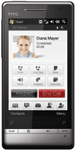
The front of the phone has a beautiful high-quality metal finish; at the bottom, it has the phone end and send buttons; the end button also doubles up as the home button, a Windows key, which is a requirement for future devices that will support Windows Mobile 6.5 and a back button. Above the keys, you can see the zoom slider. This is a touch- sensitive panel that you slide your finger along to zoom in and out of pictures and web pages.
At the top part of the front, you can see the earpiece grille and the front facing video camera. The screen is 3.2” and has a resolution of 800 x 480.
Looking at the phone from the back, you can see that it no longer has the uneven backing with the diamond cut edges that the original was named around. This is a step in the right direction as the original phone never sat flush on the desk due to the uneven backing. The 5-mega pixel camera lens is at the top and there is no longer a plastic cover over the lens.
The main home screen is straightforward, indicators along the top for various things like battery, phone signal strength, etc. Under that, we have the network that the phone is currently connected too. The phone has a very nice and clear home screen. The date and call history are also shown plus any upcoming appointments. If you swipe upwards on the clock, a smaller clock appears that gives you more room on the home screen for information.
Clicking the Windows key brings up the HTC program launcher. It is a simple grid array of shortcuts to programs. You can add new programs as well as remove them, but you cannot arrange them easily. The only way to arrange the icons is to remove them all and start adding them in the order that you want them. However, you cannot just drag them around. Clicking on all programs brings up a finger-friendly list of all the installed programs that you can scroll through very smoothly. We could not find a way of just accessing the original Windows Mobile program menu without totally disabling TouchFlo 3D.
The screen is simply stunning and the sensitivity of the resistive screen is the nearest thing to capacitive we have seen. It is a joy to use and it is a powerful phone too.
TouchFlo3D is a great home screen / overlay to the operating system and this time it does go that bit deeper which makes the whole Windows Mobile experience so much better. The flow of the icons and flick responses are now instant without any of the lag we had seen previously. The camera produced some great results in good light conditions and was much more responsive than the previous HTC cameras, but the lack of a flash will render it pretty useless in poorer light conditions.