

At Microsoft Build 2020, the company’s annual developer conference in an all-new digital format, unveiled a new range of tools and services to meet developers’ needs to drive impact and value. Amongst all other major announcements, new and exciting features for Microsoft Edge were also introduced to enable improved workflows for consumers, developers and commercial customers.The event focused on how Microsoft is addressing developer needs across industries and how it is uniquely positioned to help businesses adapt in a remote world.
FEATURES FOR EVERY USER
Collections in Microsoft Edge is getting smarter with a new Pinterest integration
This new integration with Pinterest will help find ideas to spark inspiration, save time, and be more productive by suggesting content related to what that has already collected. The feature when enabled, will help with Pinterest suggestions at the bottom of collection. Moreover, the collaboration will also allow users to export collections to a Pinterest account, populating a new board with any saved webpages or images.
Faster, more contextual way to look things up
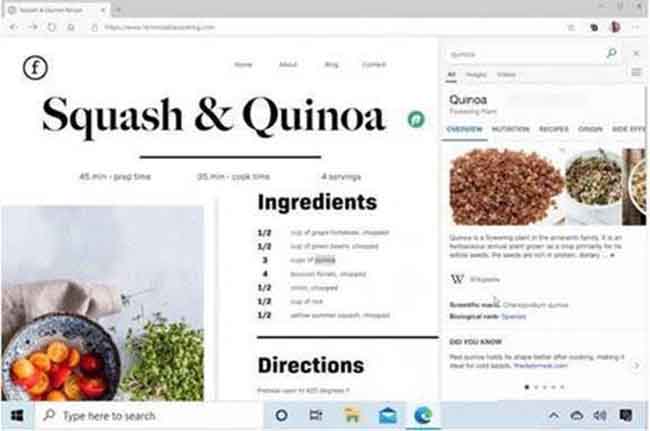
The new Sidebar Search feature will help improve the browsing experience as the user will get the option to see results in a pane on the side of the page. Simply highlight a word or phrase, right click, and select “search in sidebar” from the context menu. At work, with Azure Active Directory account, the user can also see company results.
FEATURES FOR INFORMATION WORKERS AND IT PROS
New syncing and customization options for IT professionals
This features allows to use multiple devices at once, installed extensions will now sync in Microsoft Edge. A new policy will also allow IT professionals to precisely manage all types of data sync for their users. This new feature will help them sync individual data to the workplace needs. For some workplaces, syncing passwords might not be allowed-now IT can manage this.
Coming soon, sync will also extend to customers whose environments are still on-premises.
Data security gets a boost with Windows Information Protection
Given the current situation, majority of people are working from home and the focus on data protection has never been more critical, especially for IT professionals. Microsoft Edge will now support Windows Information Protection for Windows 10 customers allowing clear cut separation of personal and corporate data. The feature update will further add an extra layer of protection for line-of-business apps, and also provide audit reporting for compliance.
Easily move between work and personal profiles
This is especially for information workers as Microsoft Edge will now allow users to set a default profile for any link they open. It will help them create a consistent experience even if they’re switching between profiles throughout the day.
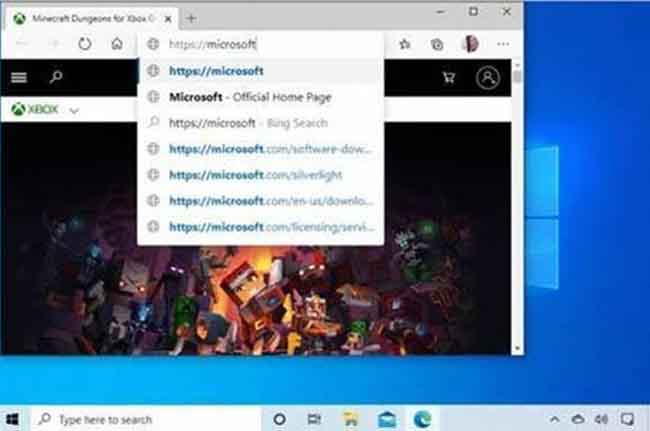
It will also help users manage their profiles with the help of Automatic Profile Switching ability. With this new feature, Microsoft Edge will detect that whether the link being accessed needs work credentials or not. It will then then automatically switch the user to their work profile making profile switching seamless.