

Google has just released a new Chrome browser extension called Password Checkup that warns you if a username-password combination has been compromised in a hacking or not.
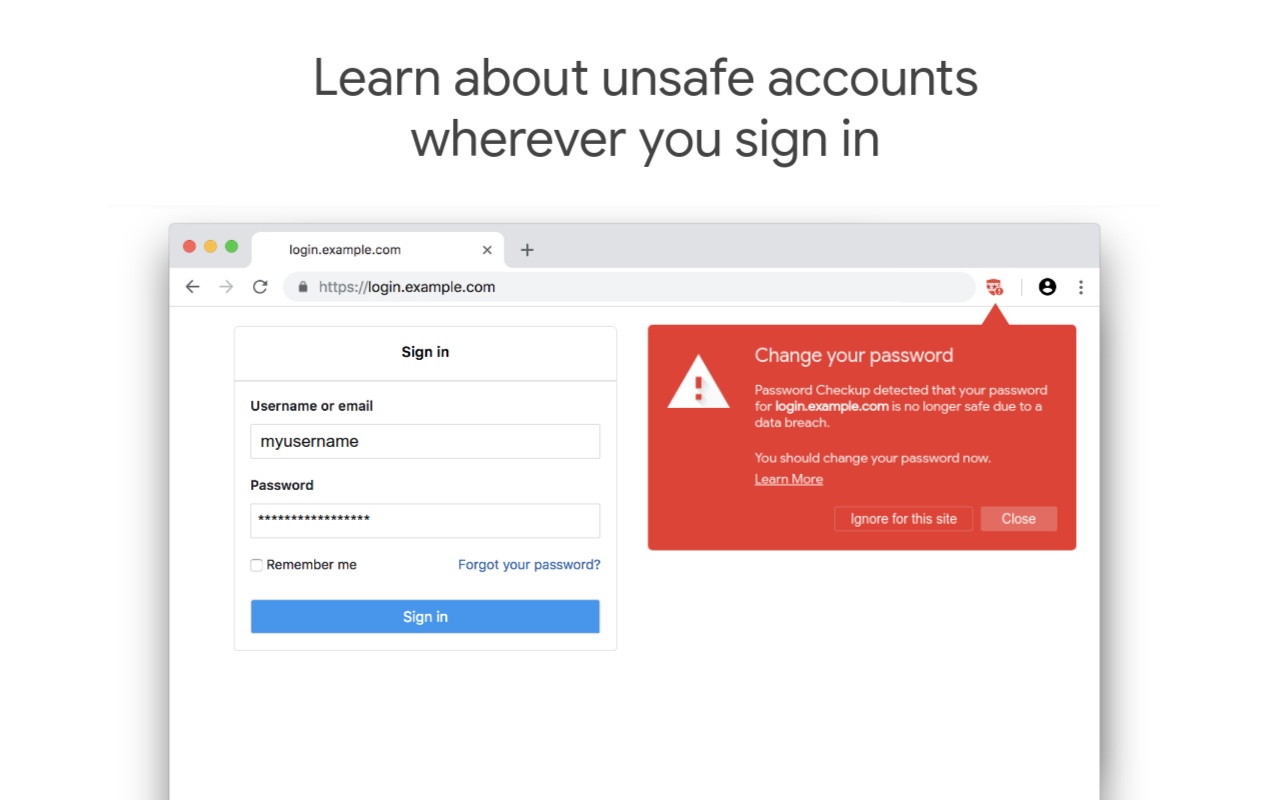
Google revealed in a blog post on Tuesday that the new Password Checkup Chrome extension is now live on the Chrome Web Store and can be downloaded by anyone. The extension alerts users when they enter a compromised username and password on a website; the extension will alert them that the login information has been compromised and suggests a password change. The extension is particularly useful for users, who can't regularly keep track of news about data breaches and hacks or go to specific websites to check whether their account details have been compromised or not.
For instance, if you sign into varindia.com with the username "tester@gmail.com" and the password "test123", Password Checkup will send an encrypted version of those credentials over to its database.
If the the tester@gmail.com/test123 combo is among the four billion hacked sets of credentials, you'll get a big red warning that "your password for www.varindia.com is no longer safe due to a data breach,” and that you should change your password. If not, you'll be reassured that everything is good.
The search giant added that it has built the Password Checkup with privacy concerns of sharing your account details with anyone, including Google in mind. It notes that no one, including Google, will know about your account information.

“We built Password Checkup so that no one, including Google, can learn your account details. To do this, we developed privacy-protecting techniques with the help of cryptography researchers at both Google and Stanford University,” Google wrote in the blog post.
Additionally, the Mountain View-based company revealed the Cross Account Protection measure that will make sure the apps and websites where you are using your Google account credentials to sign in is not compromised in case an attacker finds a way into your Google account. While the Google account itself has had added protections to deal with attackers and malicious parties, it is the first time the company is improving the security of Google sign-in for third-party platforms. When your Google account is compromised, Google will notify the apps and websites where you have used your Google credentials about the breach so that they can secure your account on their platform.
“We created Cross Account Protection by working closely with other major technology companies, like Adobe, and the standards community at the Internet Engineering Task Force (IETF) and OpenID Foundation to make this easy for all apps to implement,” Google said in a statement.
Here's how to install Google's Password Checkup extension -
* Open Chrome on your computer
* Now browse to this link to open the Password Checkup listing on the Chrome Web Store
* Tap “Add to Chrome”
* Confirm that you want to add the extension to your Chrome
* Once installed, a screen shield icon will appear on the top right
And you're done!