

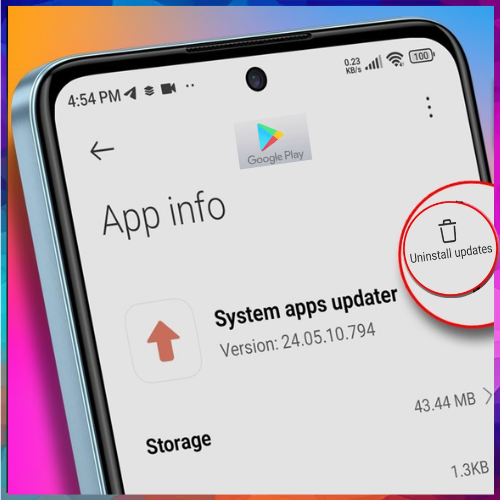
The latest Play Store change removes the “uninstall updates” button from system app listings, affecting apps like Phone and Android Auto, though users can still roll back updates through device settings.
Google is rolling out a change to the Play Store that removes the ability to quickly uninstall updates for system apps directly from their app listings. The update affects core Android apps that receive updates independently of full operating system releases, altering a long-used method for reverting problematic updates.
Android has traditionally allowed device makers and Google to push updates to system apps such as Phone, Messages, and Android System WebView through the Play Store. While this approach enables faster feature rollouts and bug fixes, it has also meant that faulty updates can occasionally disrupt everyday use.
Play Store rollback option removed
Until now, users could easily roll back a system app by opening its Play Store page and tapping the “uninstall updates” option. This shortcut eliminated the need to navigate deep into device settings. With the latest change, that option has disappeared from system app listings, leaving the rollback button absent across a wide range of devices.
The removal appears to be rolling out broadly and is not linked to a specific Play Store version. Reports indicate that the change affects multiple system apps, including those that do not appear in the app drawer, such as Android Auto. Google has not yet offered an official explanation for the update.
Rollback still possible through Settings
Despite the Play Store change, users have not lost the ability to downgrade system apps altogether. The option to uninstall updates remains accessible through the app’s settings menu. By navigating to the app information page and using the three-dot menu, users can still revert to the factory version if needed.
The shift may signal Google’s intent to streamline the Play Store interface or encourage users to manage system apps through device settings instead. However, the removal of a convenient rollback option could frustrate users who rely on quick fixes when updates introduce bugs.
For now, Android users can continue managing system app updates manually, even as the Play Store experience evolves.

See What’s Next in Tech With the Fast Forward Newsletter









Tweets From @varindiamag
Nothing to see here - yet
When they Tweet, their Tweets will show up here.