Microsoft is testing a new feature that will automatically group your tabs in Chromium Edge so you don’t have to. The feature is currently rolling out to Microsoft Edge Canary and it’s hidden behind an experimental flag.
MONDAY, 23 NOVEMBER 2026

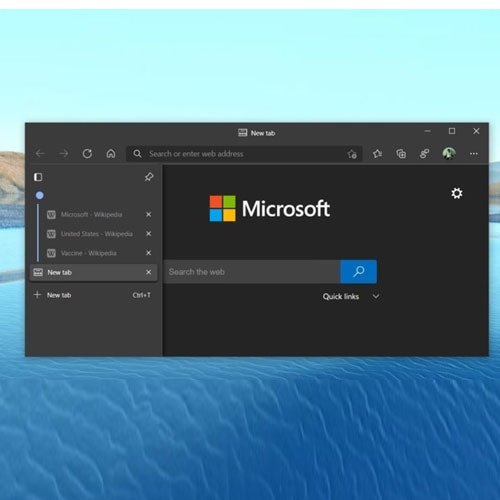
Microsoft is testing a new feature that will automatically group your tabs in Chromium Edge so you don’t have to. The feature is currently rolling out to Microsoft Edge Canary and it’s hidden behind an experimental flag.
Like Google Chrome, Microsoft Edge also allows you to group tabs, but this is possible only when you activate an experimental Edge.
Tab Groups could save you a whole lot of time by allowing you to group tabs and keep your browser neatly organized. With Tab Groups, you can select related tabs and create a cluster to keep your browser window neatly organized.
Currently, Edge and Chrome require you to create the groups manually. To address this problem, Microsoft is now enabling support for automatic grouping process.
As per the flags menu, Edge will automatically and intelligently create tab groups for you and organize the tabs when you open links from the same website.
Microsoft has also enabled support for Tab Groups in Edge’s upcoming vertical tabs layout, but it’s experimental at the moment and it may not ship in the stable channel anytime soon.
To try tab group, make sure that you’re using Microsoft Edge Canary and all updates are installed. Once you’ve updated the browser, head to the flags menu and search for ‘Tab Groups’, and then enable all related flags.
Restart the browser and Microsoft Edge can now create as many groups as you want using its new automated process.
Loading comments…
Share your thoughts on this story. Comments are moderated before they appear.
Be respectful. Comments are reviewed before publication, and spam or abusive language will be removed.
Keep reading

Technotainment
25 January 2021

Cloud Computing
6 September 2021

Channel Buzz
21 November 2026

Channel Buzz
19 November 2026