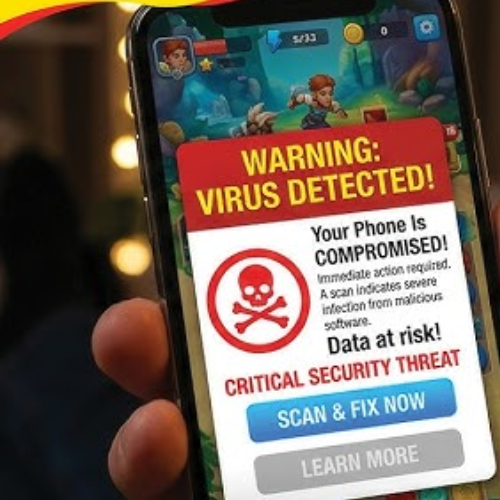
India's national cybersecurity watchdog has sounded a high-alert warning that every WhatsApp Web and desktop user needs to take seriously today. The Indian Computer Emergency Response Team (CERT-In) has warned that a large-scale malware distribution campaign is actively targeting WhatsApp Desktop and WhatsApp Web users by distributing malicious Visual Basic Script (VBScript) files through direct messages on the platform. This is not a theoretical risk — it is an active, ongoing attack exploiting the most dangerous vulnerability in cybersecurity: human trust.
How the Attack Works: Step by Step
The attack is as elegant as it is dangerous, built around a simple but devastatingly effective psychological trap.
Step 1 — Account Compromise
Attackers first gain control of a real WhatsApp account belonging to someone in your contact list — a friend, colleague, or family member. This could happen through phishing, SIM swapping, or credential theft from a previous data breach.
Step 2 — The Trusted Message
Attackers use previously compromised WhatsApp accounts to send malicious VBScript (.vbs) files to existing contacts. Because the messages originate from trusted contacts, recipients are far more inclined to open the attachment — bypassing the instinctive suspicion most people have toward messages from unknown senders.
Step 3 — The File Opens
The victim receives what appears to be a document, invoice, image, or file from someone they know. On WhatsApp Web or Desktop — running inside a browser or as a Windows application — the file downloads directly to the laptop or PC. One double-click is all it takes.
Step 4 — VBScript Executes
VBScript (Visual Basic Script) is a powerful Windows scripting language that runs natively on most PCs without requiring any additional software. The moment the .vbs file executes, it silently communicates with the attacker's remote server and begins its destructive work — all in the background, invisible to the user.
What Happens to Your Laptop: The Full Impact
Once the malware executes, the consequences are severe and wide-ranging:
Remote Access Takeover
The successful execution of a malware attack can lead to remote access of the device by cybercriminals — meaning the attacker can see your screen, access your files, activate your webcam, log your keystrokes, and control your laptop as if sitting right in front of it.
Credential Theft
Stealing credentials to carry out fraudulent activities is a primary objective. Every saved password in your browser, banking login, corporate email credential, and cloud storage access key becomes exposed. Attackers harvest these silently and use them for financial fraud, identity theft, or corporate espionage.
Malware Propagation
The infected laptop becomes a launching pad. Attackers can deploy additional malware and infect the network from which the user is connected — meaning if your laptop is connected to a home Wi-Fi or corporate network, every other device on that network becomes a potential target. One employee opening one file can compromise an entire office network.
Business Disruption and Financial Loss
The attack can disrupt business, resulting in financial losses. For enterprises, a single compromised endpoint can trigger ransomware deployment, data exfiltration, or complete system shutdown — costing organizations millions in recovery, regulatory fines, and reputational damage.
Why WhatsApp Web Is Particularly Vulnerable
WhatsApp Web and Desktop operate in an environment fundamentally different from mobile. On a smartphone, operating system sandboxing limits what a malicious file can do. On a laptop or PC running Windows, VBScript files execute with the full permissions of the logged-in user — often an administrator. This gives malware immediate, deep access to the system without requiring any additional privilege escalation.
The browser-based nature of WhatsApp Web also means files download directly into the system's default download folder, bypassing the additional security layers that dedicated email clients and enterprise security tools typically apply to attachments.
The Trust Exploitation Factor
What makes this attack particularly insidious is that it weaponizes relationships. The threat actors leverage compromised WhatsApp accounts to send malicious attachments directly to victims, making the messages appear legitimate and significantly increasing the likelihood of successful compromise. Traditional cybersecurity training tells users to be suspicious of unknown senders. This attack neutralizes that instinct entirely — the message comes from your mother, your manager, or your best friend.
How to Protect Yourself: CERT-In's Guidance
CERT-In advises users not to open attachments they were not expecting, even if they come from a friend, colleague, or family member. The cybersecurity watchdog suggests making a phone call or sending a separate message to the sender to cross-check whether they intentionally sent the file.
Additional protective measures every user should take immediately:
● Never open .vbs, .bat, .exe, or .js files received via WhatsApp under any circumstances
● Enable Windows Defender or a reputable antivirus with real-time protection
● Disable VBScript execution on Windows via Group Policy if not required
● Keep WhatsApp Desktop and your OS fully updated — patches close known vulnerabilities
● Use a standard user account rather than an administrator account for daily computing, limiting malware's reach
● Enable two-factor authentication on WhatsApp to prevent your own account from being compromised and weaponized against others
The Bigger Picture
This attack is a textbook example of how cybercriminals have evolved beyond technical exploits into social engineering at scale. The weakest link is no longer the software — it is the human being on the other side of the screen, conditioned to trust messages from people they know. In an era where AI can deepen that deception further — generating convincing voice notes, deepfake videos, and perfectly worded messages from compromised accounts — the threat will only grow more sophisticated.
The rule is now simple: if you did not ask for a file, do not open it — regardless of who sent it.

See What’s Next in Tech With the Fast Forward Newsletter







Tweets From @varindiamag
Nothing to see here - yet
When they Tweet, their Tweets will show up here.