MONDAY, 23 NOVEMBER 2026

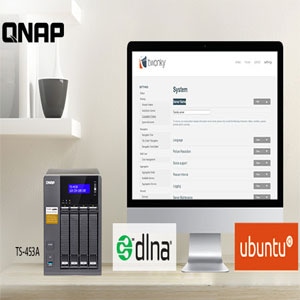
QNAP Systems is further strengthening its partnership with Canonical to provide a variety of multimedia streaming apps for a complete multimedia experience.
QNAP Linux Station is fully integrated with Ubuntu 16.04 LTS. Users can download a wide range of multimedia apps from Ubuntu Software Center, including Plex Media Server, KMPlayer, LibreOffice, VLC, and more. With HDMI output, users can play media files saved on QNAP NAS to TVs and monitors. Users can also install Twonky Server and enjoy watching via DLNA/UPnP.
Download Twonky Server for Linux from Twonky's website and activate Ubuntu OS on QNAP Linux Station. Then follow the [ Tutorial] to complete Twonky Server installation. After installing Twonky Server, users can benefit from a 30-day free trial.
Linux Station requires a QNAP NAS with at least 4GB RAM. Supported models include: TVS-x82, TVS-ECx80, TS-x79, TVS-x73, TVS-x71, TS-x70, TVS-x63+, TVS-x63, TS-x53A, TS-x53Pro, TBS-453A, TS-x51+, TS-x51A and the TS-x51 series.
Container Station v1.5.1343 (or later) must be installed on the NAS.
Loading comments…
Share your thoughts on this story. Comments are moderated before they appear.
Be respectful. Comments are reviewed before publication, and spam or abusive language will be removed.
Keep reading

Security
20 December 2017
Breaking News
11 March 2022

Apps
11 September 2026

Apps
2 September 2026