

Android phones carry Google’s resettable Advertising ID. Apple has a similar ID called the IDFA, but apps now need your permission before they can track you across other companies’ apps and websites.
Key highlights
- Every smartphone carries a resettable advertising ID.
- Everyday app and web activity feeds interest profiles.
- An ad ID identifies a device, not a name.
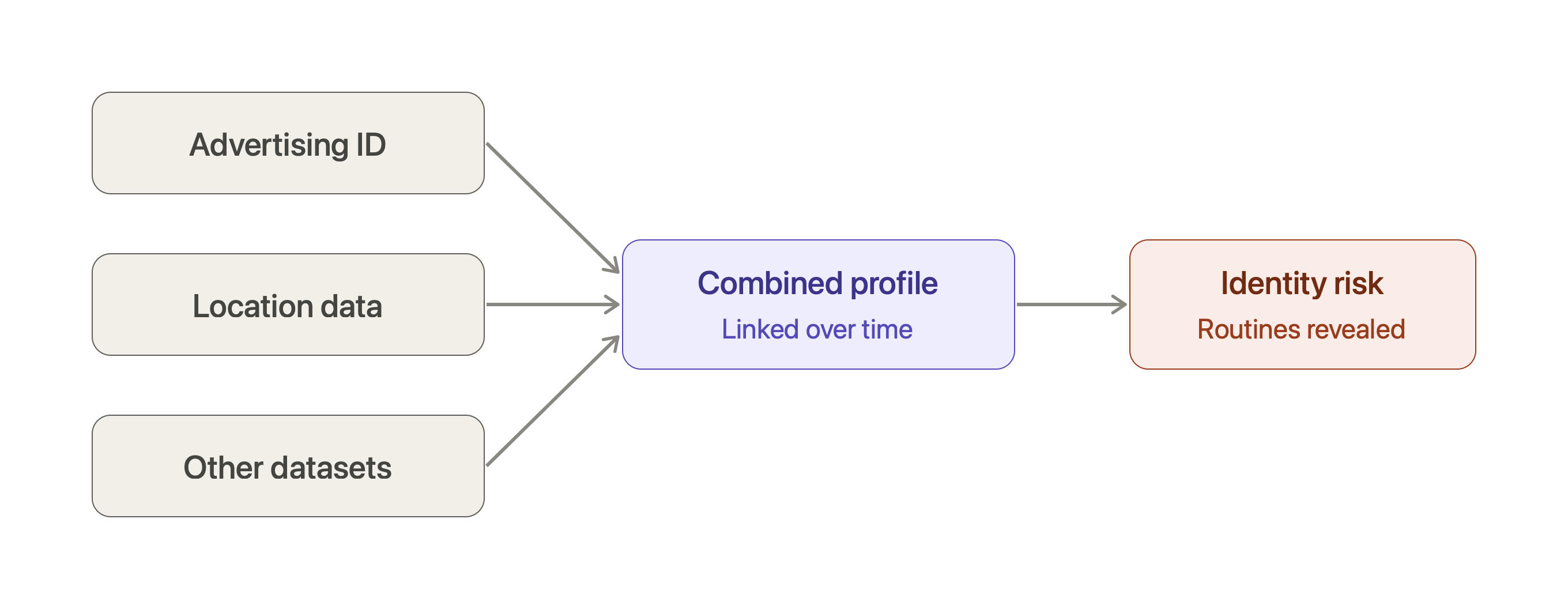
- Combined with location data, it can reveal routines.
- Users can delete or restrict their ad ID.
Tracking starts with everyday actions: using an app, visiting a website, searching for products or tapping an ad.
Each action can produce signals, such as device identifiers, approximate location, browsing interests, app activity and ad engagement.
Ad platforms combine the signals they’re allowed to collect into interest profiles. They group people by what they buy, how they live and what they do online.
That’s why researching laptops today can fill your news, social and gaming apps with laptop ads tomorrow.
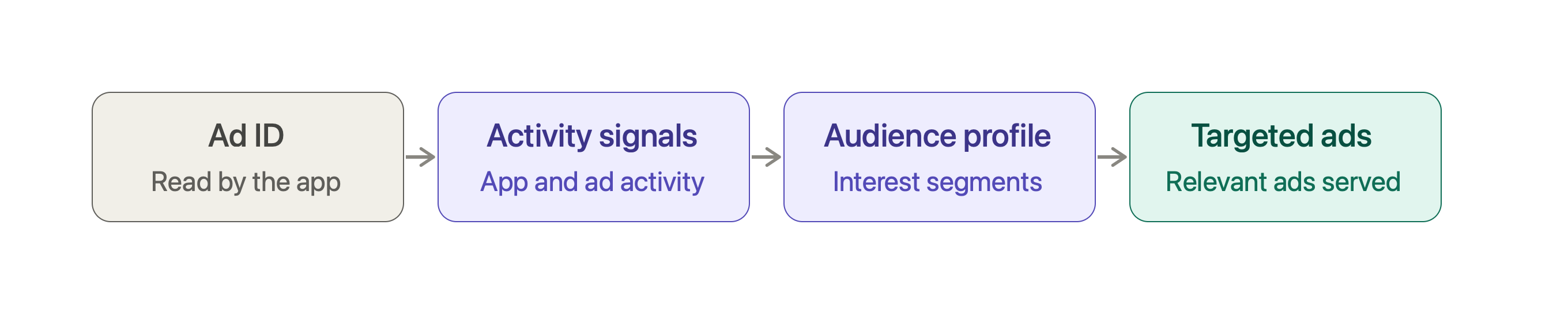
The process has four steps. First, an app reads the advertising ID where permitted.
Next, ad systems receive signals about your activity. Those signals are matched to audience segments. Finally, advertisers choose segments and platforms deliver targeted ads.
Google confirms that advertising IDs can sometimes be linked with browser cookies, so ads can be coordinated across apps and the web.
Crucially, an ad ID identifies a device or app environment, not the person holding it.
Combined with other data, however, it can help identify people. If apps collect location with permission, repeated sightings can reveal homes, workplaces and routines.
Still, an ad ID alone gives no GPS coordinates, no name and no open door into your phone.
You can protect yourself. On Android, open Settings → Privacy → Ads and select “Delete advertising ID.” On iPhone, open Settings → Privacy & Security → Tracking and turn tracking off for apps you don’t trust.
Review location permissions, limit what apps can access, and avoid sharing sensitive details with untrusted apps. These steps reduce tracking but don’t stop every method.
When combined with other datasets, ad IDs become powerful profiling tools, which makes transparency, consent, data minimisation and regulation essential. FaceOff Privacy helps enterprises take stock of advertising SDKs, record consent, manage tracking preferences and audit how data is shared with third parties.
How to protect yourself
- Android: Go to Settings → Privacy → Ads (or Google services settings) and tap “Delete advertising ID.”
- iPhone: Go to Settings → Privacy & Security → Tracking and turn off tracking for apps you don’t trust.
- Everywhere: Review location permissions, limit what apps can access, and don’t share sensitive details with untrusted apps.
These controls cut down tracking based on advertising IDs, but they don’t stop every other tracking method.
Why it matters
Combined with other datasets, advertising IDs can become strong tools for profiling and even identifying people. That makes transparency, informed consent, data minimisation and regulation essential. For enterprises, FaceOff Privacy can help take stock of advertising SDKs, record consent, manage tracking preferences and audit how data is shared with third parties.