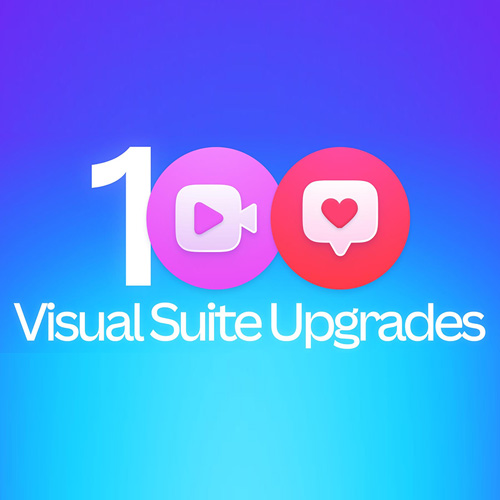
Canva is doubling down on its productivity bet, with its new releases taking Canva past 100 new feature launches across Docs, Presentations, Sheets, Whiteboards and Video since the start of 2026. More than one billion designs are now created on Canva every month, as people increasingly use the platform for everyday work, from documents and presentations to planning, data and collaboration.
“When we launched the Visual Suite, we were planting the seeds for a very different way of working, and a few years later those seeds have grown into a mighty forest. We’re incredibly proud to see Canva becoming one of the most widely used productivity suites in the world, as people bring more of their everyday work into Canva. Today marks our 100th new feature launch this year alone, a pace of nearly one Visual Suite upgrade every other day. As we often say, we still feel like we’re only 1% of the way there, and we’re just getting started,” said Cameron Adams, Canva Co-Founder and Chief Product Officer
Since the start of 2026, Canva has shipped a new Visual Suite upgrade nearly every other day, spanning advanced analytics and data visualization, dynamic visual documents, smarter presentations, collaborative whiteboards, and more powerful video creation.
Canva Docs, launched just under four years ago, has quickly become Canva’s third-most popular design type, with nearly 1,000 documents now being created every minute. Canva Presentations, the company’s fastest-growing design type, is moving even faster, with nearly 3,000 created every minute. More than 98% of the Fortune 500 now run work on Canva, with enterprise adoption more than doubling year over year.
One place for the whole project
Most productivity suites still treat a whiteboard, document, spreadsheet, and presentation as separate files. As organisations look to cut software sprawl, Canva is seeing growing demand for a single platform to run entire projects.
No matter what stage of the project you’re at, everything sits inside the same Visual Suite, uses the same simple interface, supports real-time collaboration, and keeps content, data, and brand together. Instead of paying for multiple subscriptions and learning a collection of different tools, teams can move through an entire project without ever leaving Canva: an idea starts on a Whiteboard, becomes a brief in Docs, pulls insights from Sheets, and evolves into a Presentation, all within the same design.
Businesses are increasingly working this way too. More than a quarter of a billion multi-format designs have been created since the new Canva format launched last year, with teams going beyond design and increasingly using Canva to plan, organize, measure and deliver their work.
What’s new in the Visual Suite
In response to growing demand, Canva is rolling out fresh updates across every part of the Visual Suite:
Docs have become a complete tool for everything from briefs to reports and proposals. Canva is taking the modern workplace essential a step further with richer visual layouts and more professional formatting controls. New full-page designs let teams break beyond traditional text layouts with immersive, edge-to-edge visuals, while automatic page breaks and expanded styles turn a working doc into a polished, presentation-ready document.
Sheets now have more tools to keep projects on track and turn data into engaging charts. More than a dozen updates offer new ways to format and customize a sheet, and new AI capabilities can analyze data and transform it into polished charts and tables ready to use across presentations and Docs. For greater control, public filters, hiding columns, and grouping rows make it simple to share the right information with the right people.
Whiteboards are faster and more interactive for collaborative planning and brainstorming. Streamlined panning and mobile pasting make it easy to navigate the Infinite Canvas, while Follow Collaborators lets teams jump straight to where someone else is working and one-click reactions make it easy to give feedback and make decisions in real time. When it’s time to turn the thinking into action, Whiteboards can turn into a Presentation or Doc with just one click.
Presentations now make it easier to go from building the deck to delivering it. New tools help presenters prepare as well as create, with an estimated presenting timer to plan pacing, one-click presenting to go live instantly, and automatically generated presenter notes that turn a finished deck into ready-to-use talking points.
Websites are becoming more powerful, with nearly one million published every month. New navigation supports richer sites with up to 20 sections, while SEO, domain controls and expanded buttons give teams more control. Canva Code is pushing what’s possible even further, with more than six million coded websites created to date.

See What’s Next in Tech With the Fast Forward Newsletter







Tweets From @varindiamag
Nothing to see here - yet
When they Tweet, their Tweets will show up here.